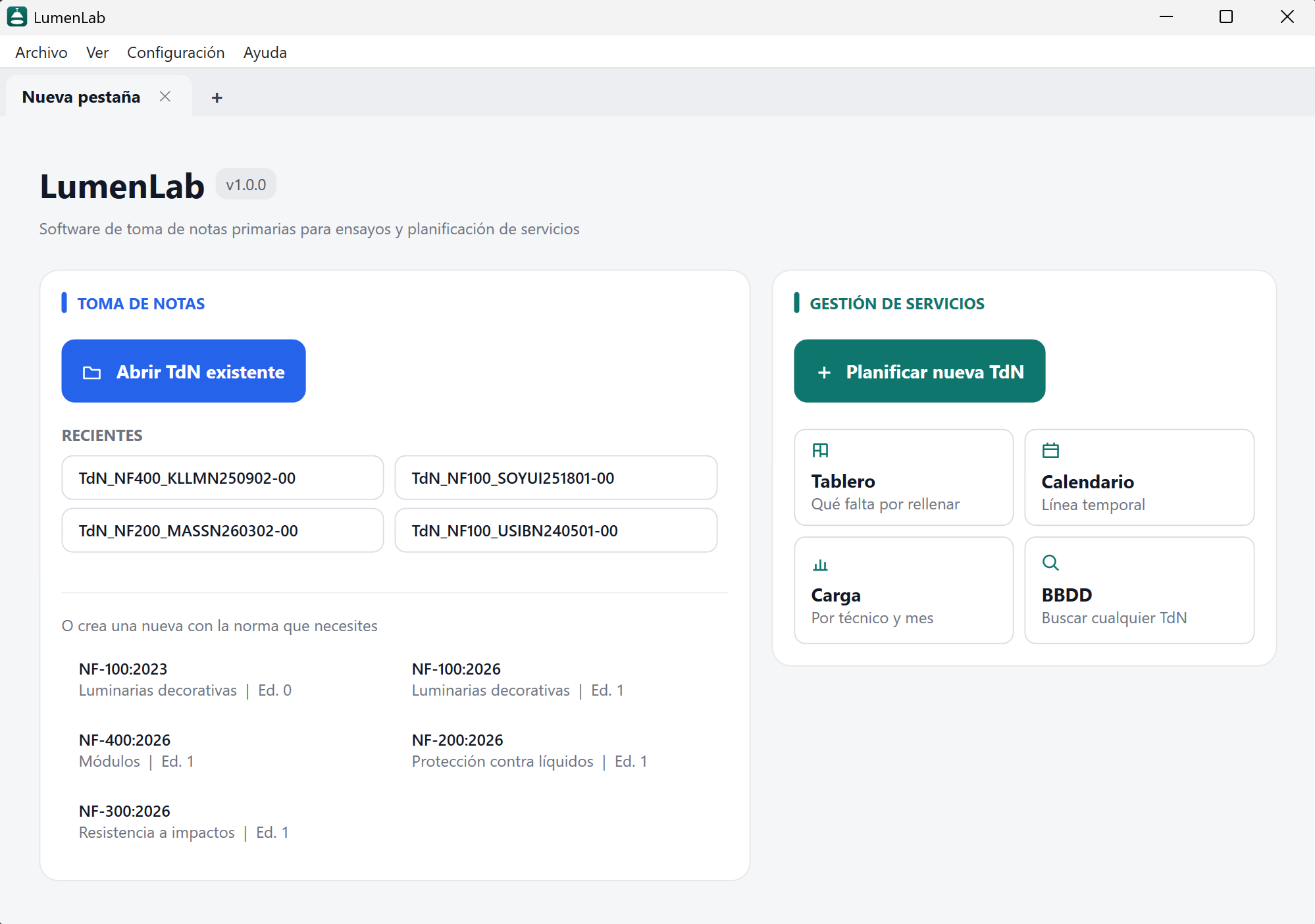

What is LumenLab?

LumenLab is a desktop application for primary note-taking and equipment used for laboratories.

The software integrates service planning through note-taking.

Aspects such as service statuses, technicians, workload, and more can also be customized.

It is written in C# on .NET 10 and WPF with MVVM.

C# .NET 10 WPF MVVM JSON
MAIN FEATURES

MAIN INFORMATION FIRST

The technician must fill in the main data before being able to fill in the rest of the fields.

QUICK SERVICE SETUP

Just four required fields to start planning.

FOUR VIEWS

The same work, seen in four different ways:

  • Board for what is left to do.
  • Calendar for planning.
  • Workload to distribute the work.
  • Database to find any service.

SEARCH FILTERS

Quick filters by status, technician, standard and period.
The filters applied are common to all 4 views.

GROUPS

A service with several test records can be handled separately or as a single job.
Just join them into a group: they are then drawn as one bar and their dates move together.

OPTIMIZED CALENDAR SPACE

Panels collapse and the calendar rescales automatically to take the space that frees up.

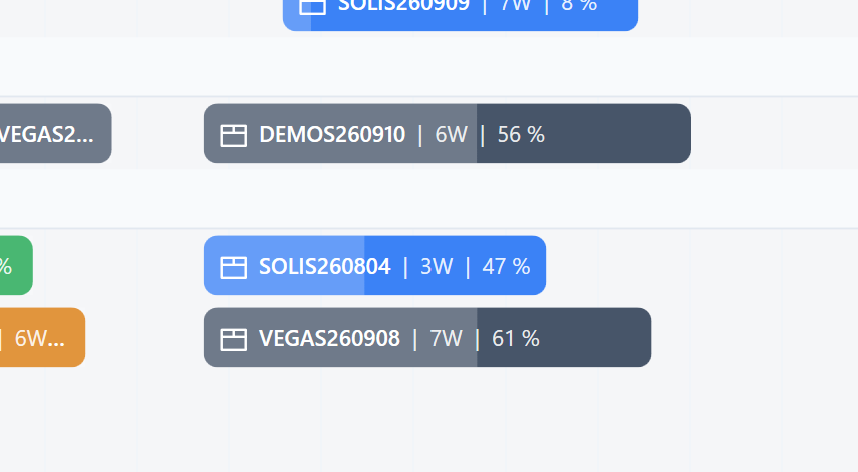
PROGRESS AS A PERCENTAGE

Each test record shows how much is done, as a percentage weighted by each section's weight.
Avance de las tomas de notas en porcentaje

DATE OF SERVICES

Dates are changed by dragging the bar: the middle moves it whole, the ends stretch only the start or only the end.
Dates can be locked and the bar shows a padlock symbol.

SAMPLE ARRIVAL DATE

The arrival date of the samples can be marked and the bar shows the symbol of a box.

CONFIGURABLE SECTIONS

List of technicians. It can be added, modified and deleted without risk of deleting existing notes.
States of the services. Up to 4 more states can be added, with a selection of colors and whether it counts in workload or not.
You can also modify the hourly rate, the daily working hours and the working days of each month.

OTHER DETAILS

In note taking you can configure auto-fill fields, fill restrictions (for example only letters or only numbers), character restrictions (for example only 1 character is valid), internal calculations (for example whether a sample fits or not depending on its size) and much more.

A section that does not apply is marked N/A and stops counting.

A service can be tested against several standards at once, each with its own equipment catalogue.

Tabs can be dragged to reorder them, just like in a browser.

The program warns when the laboratory publishes a new version, without blocking anyone's work.

Test records and the database export in one click.

Design decisions

No server

Everything lives in a shared folder: the test records, the technician list, the rates and the statuses. The program scans it on startup and there is nothing else to install or maintain.

Standards are data

The notes are a JSON file with its sections, fields, and rules. Adding, modifying, or removing a file is simple and scalable.

Two versions coexisting

With several machines there are days with two versions running at once. Whatever a version does not understand in a file is preserved instead of discarded, and an older build can read a newer file but not overwrite it.